
 Phones & filters
Loading listings…
Phones & filtersYour location stays on your device and is only used to sort results. Privacy
Find device-filtering guidance and contact local support.
Find device-filtering guidance and contact local support. Prepare your exact device model, operating-system version, required apps, and present filter; check the office’s current service area.
Source checked 2026-09-28Start with TAG’s device-specific guidance.
Start with TAG’s device-specific guidance. Confirm the exact model, software, carrier, and blocking configuration with your local office; a model name alone is not an approval.
Source checked 2026-09-29Phone and service provider describing TAG supervision.
Phone and service provider describing TAG supervision. Ask which device and plan suit calls, texts, maps, and your required restrictions. Current prices and inventory belong with the provider.
Source checked 2026-09-29TAG (Technology Awareness Group) is a nonprofit with offices in many Jewish communities that helps people install internet filters and set up phones and computers to match their standards. Contact a local TAG office or your rabbi for guidance.
Source: TAG (Technology Awareness Group): TAG · checked 2026-11-07
On iPhone, go to Settings, General, Keyboard, Keyboards, Add New Keyboard and choose Hebrew; Apple's support page explains the steps, and Android phones have a similar language setting. Then switch keyboards with the globe key.
Source: Apple Support: Add or change keyboards on iPhone - Apple Support (KW) · checked 2026-11-07
Register your number free on the National Do Not Call Registry; you can also report unwanted calls there.
Source: Federal Trade Commission: National Do Not Call Registry · checked 2026-11-07
JRA lists kosher phone and filter providers under Technology. Search "kosher phone" with your city.
Source: Jewish Research Advisory: Phones & filters · checked 2026-11-07
Short summaries written by JRA, linked to the source each one is based on. General information, not a halachic ruling.
OSM records require documented audience review before public display. Regional OSM business leads are now connected through a separately licensed collection. These are not verified Jewish/frum providers, current inventory, professional licensing or eligibility evidence. TAG device pages and filter vendors are useful links. No catalogue reuse grant is recorded; model support, prices and filter approval must come from authorized current provider data.
Filtering plans for phones, home computers and workplaces.
Filtering plans for phones, home computers and workplaces. Offers mobile, home, office and enterprise options; ask support about your exact device and required apps.
Source checked 2026-09-30Offers filtered browsing, an approved-site-only setup, or email-and-apps-only access.
Offers filtered browsing, an approved-site-only setup, or email-and-apps-only access. Personal and business plans, remote support and customization are available.
Source checked 2026-09-30Flip-phone models range from talk-only Chickadee and talk/text Swan to models…
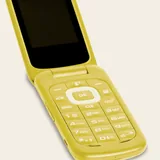
Flip-phone models range from talk-only Chickadee and talk/text Swan to models with navigation, camera or hotspot. Features differ by model. Phone service is separate; check stock and carrier compatibility directly.
Source checked 2026-09-30Retail selection of flip phones for consumers, schools and groups.
Retail selection of flip phones for consumers, schools and groups. Choose the exact model and restrictions; the product pages provide current options and purchase details.
Source checked 2026-09-30Device advice, filter installation and kosher-phone sales. 69-62 Main Street,…
Device advice, filter installation and kosher-phone sales. 69-62 Main Street, Flushing; 718-407-2466; queensoffice@tag.org. Appointments through the branch website.
Source checked 2026-09-30